As an Amazon Associate, we earn from qualifying purchases. Some links on this site are affiliate links at no extra cost to you. Our recommendations are based on thorough research and editorial judgment.


3D Plane FAQs: What Is The Difference Between A Hover And A Torque Roll?

In 3D flight, the difference between a hover and a torque roll is significant. A hover keeps the aircraft in a stable vertical attitude with the nose pointed upward, while a torque roll involves the aircraft rotating around its roll axis. Key control inputs for both maneuvers include throttle adjustments for altitude, rudder corrections for yaw, and ailerons for stability. Understanding these distinctions enhances pilot skills and opens doors to mastering advanced flight techniques, encouraging further exploration of each maneuver.
Key Takeaways
- Hovering maintains a fixed vertical attitude with the nose up, while a torque roll involves rotation around the roll axis.
- In hovering, stable altitude is achieved by adjusting throttle and pitch, whereas torque rolls rely on motor torque for rotation.
- Both maneuvers require precise rudder inputs to manage yaw and maintain orientation.
- Aileron inputs in hovering counteract engine torque; minimal aileron input is needed during torque rolls for roll speed adjustments.
- Mastery of hovering is crucial before developing the skills necessary for executing smooth and controlled torque rolls.
Understanding Hovering
You may be interested



Hovering, while seemingly simple, entails a complex interplay of forces that provides insight into the foundational skills of 3D plane flight. Mastering hovering fundamentals requires pilots to achieve a delicate balance between lift, thrust, gravity, and drag. A recommended power-to-weight ratio of 1:1 or preferably 2:1 allows beginners to maintain control.
Key elements include:
- Throttle Control: Small adjustments keep altitude stable, preventing unwanted ascent or descent.
- Pitch Orientation: Manipulating the elevator is vital for maintaining a nose-up position.
- Rudder Steering: Essential for keeping the aircraft stationary and oriented correctly.
Understanding these basics enhances control sensitivity, ultimately making hovering a stepping stone toward more advanced maneuvers in 3D flight. Additionally, incorporating customizable heat levels in massagers can help improve muscle relaxation after practicing flight maneuvers. Practice fosters confidence and skill mastery, creating a sense of belonging in the flying community.
Recommended Products

EASY TO FLY RC AIRPLANE: Equipped with exclusive SAFE technology that helps prevent crashes and makes it easy to learn how to fly.

The easiest to buy, assemble and fly flat foamy model yet – capable of slow cruising, sport flying, basic and all-out 3D aerobatics

【6 Flight Modes for All Skill Levels】 Features 6 versatile flight modes including Stabilize, Gyro, Manual, Acrobat, and unique Vertical Flight modes (Fixed-wing & Quadcopter). Whether you're a beginner or experienced pilot, you can seamlessly switch between assisted stability and full 3D manual control with just a flick of a switch.
Mastering Torque Rolls

Achieving mastery in torque rolls requires a solid foundation in hovering techniques, as both maneuvers share similar control principles. To execute torque rolls effectively, enthusiasts should focus on key aspects:
- Initiation and Setup: Start from a stable hover, ensuring the plane is vertical. Release aileron control to let motor torque drive the roll while adjusting throttle for altitude.
- Control Inputs: Utilize minimal aileron input for roll speed adjustments. Employ rudder and elevator commands to keep the plane aligned and stable.
- Challenges: Maintaining vertical orientation can be difficult. Smooth, consistent corrections are essential to avoid oversensitivity that could destabilize the roll. Additionally, achieving consistent hovering techniques can greatly enhance the overall stability during the execution of torque rolls.
Recommended Products

✔Note:Unassembled,need to assemble yourself. Easy to Assembly.

Spare propeller for 15.7 * 11.8 inch F4U and T28 remote control aircraft
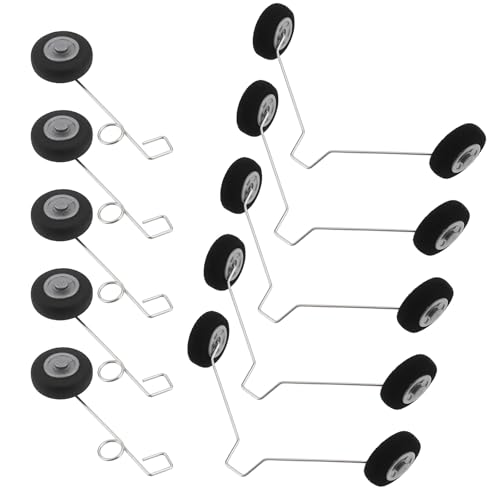
Compatibility: This product is compatible with Foam Fighter F22 Su27 HW33.
Key Differences in Attitude and Orientation

Understanding the key differences in attitude and orientation between hovering and torque rolls is vital for any 3D flying enthusiast.
Hover Attitude
- In hover, the aircraft maintains a fixed vertical attitude, with the nose nearly straight up and the belly facing the pilot.
- Attitude stabilization is essential, as pilots need to manage pitch and yaw to prevent any drop.
Torque Roll Orientation
- Conversely, during a torque roll, the aircraft rotates around its roll axis, requiring careful orientation management.
- While the plane remains almost vertical, the rotation demands precise rudder inputs to guarantee control.
Both maneuvers operate in challenging flight regimes, highlighting the necessity of balancing pilot inputs to achieve stable and controlled performance, ultimately refining the overall flying experience. Additionally, understanding the importance of regular monitoring of scalp health can enhance the effectiveness of various flying maneuvers by ensuring pilots remain focused and alert.
Essential Control Inputs for Both Maneuvers

Performing maneuvers like hovering and torque rolls requires a keen understanding of control inputs that influence each flight characteristic.
Throttle Adjustments
Precise throttle adjustments maintain vertical position. In a hover, fine throttle corrections prevent unwanted altitude shifts. For torque rolls, modulation balances rotational speed and stability.
Rudder Corrections
Rudder inputs control yaw, essential for nose alignment. Hover adjustments counteract drift due to wind or torque, while continuous corrections in torque rolls manage roll rotation effectively.
Elevator Modulation
The elevator controls pitch attitude; full deflection supports nose positioning in both maneuvers. Proper balancing with throttle guarantees vertical integrity.
Aileron Handling
Ailerons counter engine torque in hover, while coordinated inputs enable controlled rolling motions in torque rolls, emphasizing careful adjustment to maintain stability and control. Additionally, understanding safety mechanisms for electrical devices can enhance the overall flying experience by ensuring that equipment remains functional and secure during maneuvers.
Recommended Products

Powerful Performence: Motor, ESC and Servo: Predator 3541-750KV motor, a high-quality 40A ESC and 17g servos.

Authentic Replication✈️: Authorized by Textron Innovations Inc., the FMS 1500mm Cessna 182 not only replicates the stability, reliability, flexibility, and ease of operation of the real airplane but also breaks the limits of realism achievable by airplane of the same size and type with its lifelike exterior details, providing users with the closest experience to real flight.

Authentic Simulation Experience: The FMS 1500mm Maule rc airplane faithfully reproduces the low-speed handling and short take-off and landing (STOL) capabilities of the real Maule aircraft. Crafted from lightweight and durable EPO foam and equipped with functional flaps, it can take off within just three meters, providing you with a true-to-life flying experience.
Learning Progression From Hover to Torque Roll

Changing from hovering to executing torque rolls is a skill that embodies the essence of 3D flight. This shift begins with mastering foundational hovering techniques; maintaining a stable hover is essential for confident torque roll progression.
Pilots focus intently on inputs across all control surfaces while hovering, developing the muscle memory required for the roll. The key elements to reflect upon include:
- Precision Control: Continuously adjust ailerons, rudder, and elevator during hovering for balance.
- Rudder Management: Master active rudder inputs to smoothly initiate and sustain torque.
- Spatial Awareness: Train to anticipate control needs as orientation rapidly shifts during rolls.
Additionally, understanding the effectiveness and benefits of red light therapy can enhance recovery and muscle relaxation, which is beneficial for pilots practicing these advanced maneuvers.
Aircraft Requirements for Successful Execution
Successful execution of 3D maneuvers like hovering and torque rolls hinges on several key aircraft requirements.
Power Requirements
- Sufficient engine power is essential for generating lift. Hovering out-of-ground effect demands even more power.
- Optimal power modulation is necessary during torque rolls to maintain vertical control while rolling.
Aerodynamic Optimization
- Rotor blade designs must balance hover lift and flight efficiency, requiring high blade twist while managing vibrations.
- Weight distribution directly affects stability during dynamic maneuvers, making center-of-gravity management critical.
Control Precision
- Pilots must provide precise cyclic inputs to balance the aircraft during maneuvers.
- Automated control systems can assist in managing torque effects and enhancing overall control accuracy.
These requirements foster an environment where pilots can master 3D maneuvers effectively. Additionally, the principles of ergonomic design can also play a role in enhancing pilot comfort and control during demanding maneuvers.
Recommended Products

【True-to-Life Design & Scale Realism】Based on the U.S. MD500 “Little Bird,” this 1:16 scale helicopter model features a highly detailed fuselage with realistic cockpit, opening cabin doors, seats, control sticks, and LED lights — offering a professional military-style appearance and immersive visual appeal
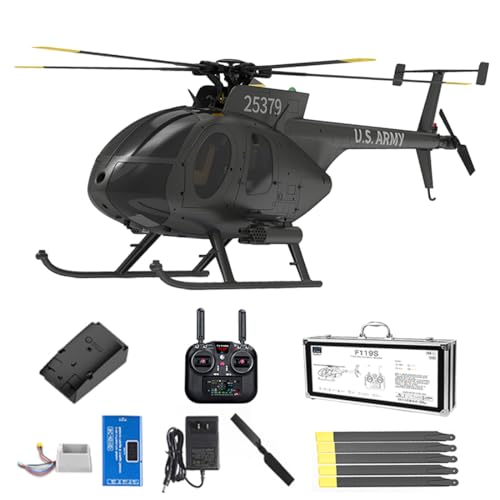
MD500 Scale Design:Faithfully replicates the U.S. MD500 "LittleeBird" at 1:16 scale, featuring a highly detailed fuselage, openable cockpit doors, realistic seats, control sticks, and functional LED lights for immersive military authenticity

Also available in a money-saving “Super Combo” including top-of-the-line Spektrum servos, a flight controller, receiver, plus a Smart ESC
Visual Impact and Audience Engagement
Visual impact plays an essential role in engaging audiences during 3D aerial performances.
Maneuver Presentation
Hovering creates a stunning visual of the plane held vertically with minimal movement. This showcases the pilot’s skill, balancing forces with ease. Audience perception is captivated by the dramatic positioning.
The Thrill of Torque Rolls****
Conversely, the torque roll introduces dynamic rotation, defying conventional flight rules. The slow, controlled spin increases complexity, drawing viewers in.
Connecting the Dots
Both maneuvers provide a visual narrative of escalating difficulty and mastery. The shift from hover to torque roll builds anticipation.
Through thoughtful presentations, pilots enhance audience engagement, making every performance an exciting spectacle. These contrasting visuals deeply resonate, fostering a shared appreciation amongst viewers.
Tips for Improving Hover and Torque Roll Skills
Enhancing hover and torque roll skills is fundamental for any 3D RC pilot looking to elevate their performance. Here are key practice techniques to improve these essential maneuvers:
- Control Sensitivity: Use small stick inputs to guarantee smooth control. Incorporate expo to reduce overcorrections.
- Aircraft Setup: Select aerobatic planes with strong tail authority, assuring the center of gravity is optimized for stability.
- Hover Consistency: Start with a 90° pitch, gradually increase hover time, and practice near your position for better feedback.
- Torque Roll Technique: Blend small rudder and elevator inputs to maintain rotation while monitoring throttle for smooth execution.
- Exit Strategies: Deliberately plan maneuver shifts to enhance style and control flow.
Recommended Products

Scale replica of the Smartest, Safest, Most Innovative general aviation aircraft available in the world today

✔️This is the latest Sbach 342 EPP 3D airplane perfect for beginners to aerobatic flight training.
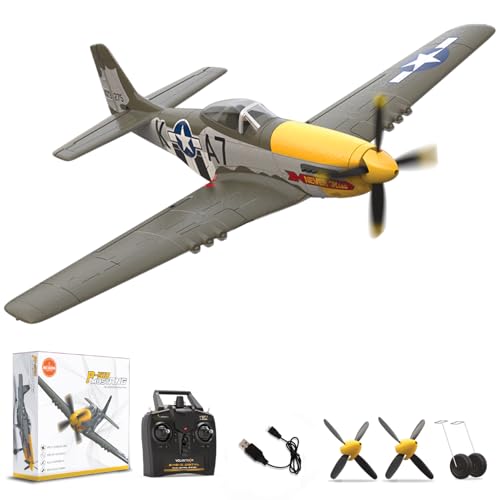
Perfect for All Skill Levels: Featuring the advanced Xpilot gyro stabilizer system and three levels of flight control assistance, this RC plane caters to both beginners and experts. Whether you're just starting out (with full assist for an easy, stable flight), progressing to intermediate skills (with partial assist for more control), or a seasoned pro (with full manual control for ultimate freedom), this plane ensures an exciting experience at every stage. Perfect for building confidence, mastering new skills, or showcasing your expertise from the start!
Frequently Asked Questions
Can All 3D Planes Perform Hovers and Torque Rolls?
Not all 3D planes can perform hovers or torque rolls. While larger models excel at hovering techniques, mastering torque roll tips requires significant pilot experience and practice to achieve successful and stable flight maneuvers.
How Do Wind Conditions Affect Hovering and Torque Rolls?
Wind conditions markedly influence hovering and torque rolls, creating stability issues. Variations in wind effects necessitate constant adjustments in control inputs and aircraft attitude, ensuring pilots maintain performance and control during challenging flight maneuvers.
What Are Common Mistakes Beginners Make During These Maneuvers?
Beneath the dance of wings, beginners often stumble through hover techniques and torque roll mistakes—jerky inputs, neglecting altitude awareness, or underestimating practice time impede their graceful ascent, binding them in the pursuit of fleeting mastery.
How Do Battery Levels Influence Performance in 3D Flying?
Battery levels greatly influence 3D flying performance, with lower capacities leading to reduced thrust and control responsiveness. Effective power management guarantees ideal battery use, enhancing maneuver stability and allowing pilots to enjoy consistent, precise flight experiences.
Are There Specific Simulator Exercises for Practicing These Maneuvers?
Various simulator exercises enhance maneuver practice, emphasizing steady control inputs. Simulator tips suggest starting with basic hovers, progressing to torque rolls while gradually introducing environmental challenges, fostering a sense of accomplishment and belonging among fellow learners.