As an Amazon Associate, we earn from qualifying purchases. Some links on this site are affiliate links at no extra cost to you. Our recommendations are based on thorough research and editorial judgment.


What Is The Best RC Flight Simulator?

The best RC flight simulator is RealFlight. It offers realistic environments and innovative tools for both novice and experienced pilots. Key features include VirtualRevolution™ for immersive sound, over 300 aircraft models, and built-in Virtual Flight Instructors to ease learning. Compatibility with Spektrum™ controllers and VR headset support enhances the experience. Frequent content updates keep the simulator fresh. With diverse challenges and training resources, pilots can systematically improve their skills. Discover more about other simulators and their unique features.
Key Takeaways
- RealFlight Simulator is widely regarded for its realism, featuring advanced physics and immersive environments that replicate real-world RC flying scenarios.
- It offers extensive customization options with over 300 aircraft models and FlexiField™ Site Editor for personalized flying experiences.
- The built-in Virtual Flight Instructor and NavGuides™ assist beginners in learning complex maneuvers with step-by-step guidance.
- Compatibility with various controllers and wireless options ensures users can connect easily, enhancing the user experience.
- Regular content updates and a supportive community provide ongoing learning opportunities and new aircraft options.
Overview of RC Flight Simulation
You may be interested


RC flight simulators serve as innovative tools for both novice and experienced pilots, allowing them to explore the world of radio-controlled aviation without the risks associated with real-world flying. These simulators offer immersive, simulated environments that mimic the operation of various RC aircraft, including airplanes, helicopters, and multirotors.
- Training Scenarios: Users can practice a range of flight maneuvers in diverse conditions, enhancing their pilot skills at their own pace.
- Flexibility: Weather is no longer a barrier; practice can occur anytime, ensuring consistent skill development.
- Integration: Many simulators allow actual RC transmitters for realistic control experiences. Additionally, utilizing user-friendly features can significantly enhance the overall simulation experience.
Key Features of RealFlight Simulator

When exploring the key features of RealFlight Simulator, users will discover an impressive array of tools designed to enhance their flight training experience.
Audio Technology
Realism features like VirtualRevolution™ and RotoSonics™ provide immersive soundscapes. Users hear authentic engine sounds that dynamically adjust based on aircraft positioning.
Flight Recording
The Advanced Flight Recorder (AFR) enhances user experience with features for recording maneuvers, adding instructions, and visualizing control inputs.
Navigation Support
NavGuides™ offers on-screen assistance, allowing new pilots to confidently practice complex maneuvers.
Customization Options
With over 300 aircraft models and FlexiField™ Site Editor, enthusiasts can tailor their environments to suit their preferences. Additionally, the speed and power options available in various aircraft models contribute significantly to the realism of flight simulations.
The combination of simulation accuracy and community engagement makes RealFlight an unparalleled choice for RC flight enthusiasts.
Recommended Products

Enhanced Camera for Travel Shots - Air 3S's 1" CMOS primary camera delivers breathtaking shots with enriched detail in low-light scenarios like sunsets and nightscapes.

Bundle Includes: Honeycomb Aeronautical Charlie Rudder Pedals, Bravo Throttle Quadrant, and Alpha Flight Controls Yoke and Switch Panel
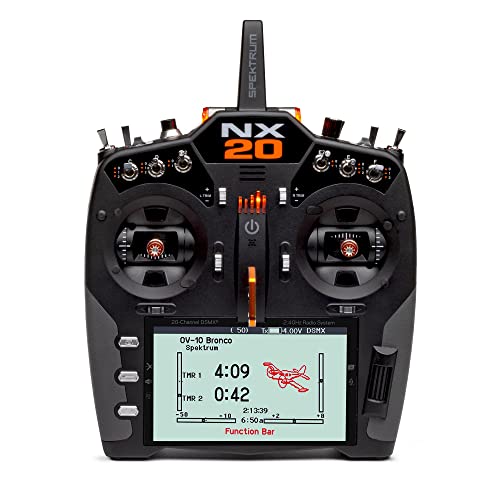
Backlit 5”, 800x480 display screen with multiple color palette choices and user customizable colors
Compatibility With Controllers and Devices

The compatibility with controllers and devices plays a significant role in maximizing the user experience of flight simulators. Many popular controllers offer exceptional device integration, enhancing overall performance.
- Spektrum™ InterLink® DX Controller: Required by Evolution simulator; features USB plug-and-play connection.
- FlySky FS-i6s Controller: Known for compatibility with the Zephyr Drone Simulator; works well with general game controllers too.
- Wireless Options: Devices like the Spektrum WS2000 dongle enable wireless functionality, connecting seamlessly with RealFlight simulators. Additionally, many flight simulators come with customizable options that allow users to tailor their experience based on their preferences.
Recommended Products

【Immersive Flight Experience】Feel the thrill of immersive flight provided by the DJI FPV Goggles V2 or DJI Goggles Integra and DJI FPV's super-wide 150° FOV for an ultra-smooth real-time view.
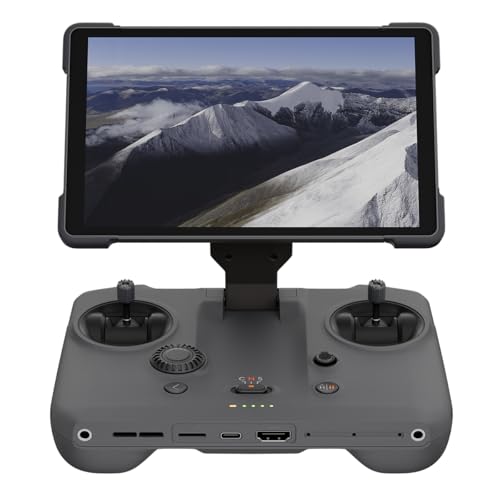
EXTENDED RANGE - Experience seamless control with the O4/O4+ video transmission system, operating on 2.4/5.1/5.8 GHz frequencies and enterprise-level antennas for reliable, long-distance connectivity.

Ultra-Light, Palm-Sized Foldable Design - Compact and foldable, this palm-sized drone slips easily into a pocket and offers 42GB of internal storage for uninterrupted flying [7].
Advantages of RealFlight for Beginners
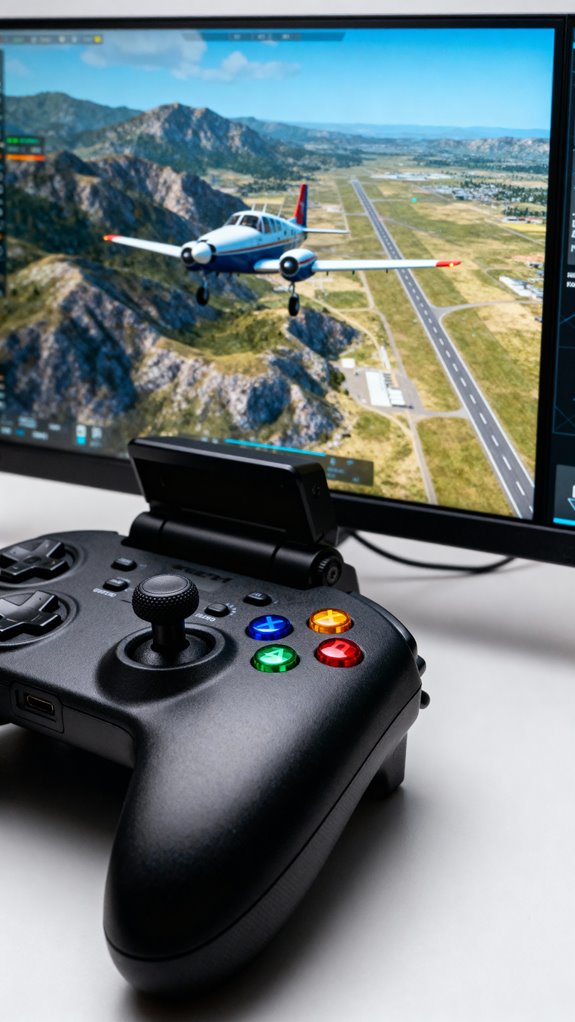
For beginners venturing into the world of aviation simulation, RealFlight stands out as an excellent choice, offering an all-encompassing training environment designed to ease the learning curve.
Key Advantages
- User-Friendly Training: The built-in Virtual Flight Instructor guides users step-by-step, while beginner-friendly aircraft with SAFE technology guarantee safety and confidence.
- Realistic Conditions: Simulating diverse flying environments prepares beginners for real-world challenges without the risk of costly accidents.
- Structured Learning: A recommended progression teaches essential skills like takeoffs and landings, fostering flight confidence through repeated practice.
- Accessibility: RealFlight can be used on a PC or laptop, enabling practice anytime, regardless of weather, enhancing the beginner benefits of flexible training. Additionally, the use of customizable intensity settings in some simulators can further enhance the training experience by allowing users to practice under various difficulty levels.
This combination of features makes RealFlight an ideal platform for aspiring pilots to develop skills and camaraderie in the RC flying community.
Advanced Features for Experienced Pilots

High-Fidelity Physics
Simulation innovations like RealFlight Evolution offer genuine aerodynamics, simulating lift and turbulence. This realism helps pilots improve stability under various weather conditions.
Custom Scenarios
Tailored training scenarios are available, allowing specific wind setups and mission modes for advanced maneuvers. Pilots can refine skills for loops, rolls, and landing approaches through these engaging challenges.
Hardware Integration
Compatibility with devices such as Spektrum InterLink DX controllers guarantees easy integration. Coupled with VR headset support, users experience immersive simulations crucial for perfecting line-of-sight and FPV flying. Additionally, the inclusion of advanced training elements creates a more authentic learning environment, fostering community and belonging within the RC flying world.
RealFlight’s Physics Engine Explained
RealFlight’s physics engine showcases a sophisticated integration of computational dynamics to create an authentic flying experience for users. It models fundamental aerodynamic principles, simulating lift, drag, thrust, and gravity in real-time.
Key Features:
- Realistic Flight Dynamics: Continuous processing of aircraft position and orientation leads to lifelike maneuvers.
- Customizable Settings: Users can adjust physics speed and flight model realism, accommodating varying skill levels.
- Environmental Simulation: Factors like wind and turbulence add variability, enhancing training challenges.
Benefits:
- Enhanced Training: Adjusted physics parameters allow pilots to practice under tailored conditions while preserving physics accuracy.
- Immersive Experience: Realistic sound effects and aerodynamic responses provide an engaging simulation. Additionally, features like safety certifications ensure users can enjoy flying simulations with peace of mind.
This is why RealFlight remains a favorite among both beginners and experienced pilots alike.
User Feedback and Community Insights
When exploring the world of RC flight simulators, user feedback and community insights play a crucial role in shaping preferences and experiences.
User Experiences
- RealFlight is celebrated for its stability and compatibility with Spektrum controllers, enhancing user satisfaction.
- SeligSIM users commend its realistic physics and extensive airplane selection, despite noting some bugs.
Community Engagement
- Active forums and Discord channels facilitate community feedback and provide learning resources like user tutorials and feature requests.
- Users appreciate simulators with robust multiplayer engagement, allowing for shared missions.
Visual Preferences
- While RealFlight is praised for its detailed models, some users seek more frequent graphical updates.
- AeroFly RC’s smooth visuals cater to both VR and traditional setups, striking a balance between realism and performance.
Alternatives to RealFlight Simulator
Exploring the various alternatives to RealFlight Simulator reveals a diverse range of options that cater to different preferences and skill levels.
Phoenix R/C: Although discontinued, this popular simulator offers realistic flight training for airplanes and helicopters. Users should note some compatibility issues with Windows 10.
FS One: A paid desktop simulator featuring advanced aerodynamics and diverse aircraft types, it is ideal for those seeking in-depth physics modeling.
Mobile Simulators: Options like RFS – Real Flight Simulator and Aerofly FS 2022 deliver great portability with realistic flight dynamics. Other free platforms, such as X-Plane and Infinite Flight, support casual users and provide engaging experiences.
These phoenix alternatives and mobile simulators expand the choices for enthusiasts wanting to improve their flying skills.
Recommended Products

Bundle Includes: Honeycomb Aeronautical Alpha Flight Controls Yoke and Switch Panel, Honeycomb Aeronautical Bravo Throttle Quadrant, Knox Gear 4-Port USB 3.0 Hub

SURGICAL HALL EFFECT PRECISION - Your throttle inputs register with pinpoint accuracy thanks to H.E.A.R.T magnetic sensor technology delivering 16 bit resolution across 65,536 values, so every adjustment you make in your flight simulator cockpit translates to zero drift and zero dead zones, giving you the competitive edge in intense air combat scenarios.

FLY LIKE A REAL PILOT – Bring the thrill of a real airplane simulator into your home. This officially-licensed Boeing yoke and quadrant is inspired by the iconic Boeing 787 airliner (1:1 scale replica) and transforms your PC or Xbox setup into a true flight simulator cockpit. Perfect for flight sim enthusiasts and aspiring pilots alike.
The Role of VR in Flight Simulation
The advancement of virtual reality (VR) technology has transformed flight simulation into an incredibly immersive training experience. VR applications offer full 360-degree visual immersion, replicating both aircraft interiors and external environments. This realistic setting helps trainees boost their concentration and skill acquisition effectively.
Key features include:
- Stereoscopic displays for depth perception, essential for maneuvers like landings.
- Haptic feedback that mimics engine vibrations, enhancing tactile realism.
- Opportunities for practice in complex scenarios without real-world risks.
These immersive training techniques accelerate skill development, providing unlimited repetitions and real-time feedback. Trainees can hone their muscle memory and confidence while safely confronting hazardous situations. Ultimately, VR establishes a supportive learning environment, ensuring every aspiring pilot feels empowered on their journey.
Cost Considerations for RC Flight Simulators
Cost considerations play a significant role in the selection of RC flight simulators, especially for aspiring pilots aiming to enhance their skills.
Initial Costs
Entry-level simulators, like PicaSim, are often free, while others, like Wings, cost around $36. Premium options, such as RealFlight Evolution, can exceed $200.
Upfront Hardware Requirements
Basic setups require a dual-core 3GHz CPU and 4GB RAM. Higher specifications lead to increased costs but enhance realism and performance.
Ongoing Expenses
Many simulators offer free updates, boosting long-term simulator value. Additional content, like aircraft packs, can add to ongoing costs.
Planning for Your Budget
Careful budget planning helps users choose a simulator that aligns with their skill level and intended use, ensuring an enjoyable experience without financial strain.
Recommended Products

Works with popular Windows PC flight simulators: X-Plane11, X-Plane12, Microsoft’s FS2020/FS2024.

Compatible with all Thrustmaster add-on wheels, pedals and accessories

The T.16000M FCS is compatible with PC via USB in Windows (32-bit and 64-bit).
Availability of Training Resources and Lessons
A wide array of training resources and lessons is available for aspiring RC pilots, enhancing their flying capabilities and confidence.
Structured Learning
- Training manuals follow a crawl-walk-run format, making complex flying concepts easier to grasp.
- Detailed lesson series guide users through skill-building techniques, from basic maneuvers to more advanced flights.
Community and Support
- Online forums provide community support, sharing tips on problem areas like control habits and progress tracking.
- Experienced hobbyists readily offer troubleshooting advice, fostering a sense of belonging among users.
Youth Programs
- Engaging youth programs combine building aircraft with simulator lessons, nurturing enthusiasm for the hobby while developing essential skills.
- Video tutorials, integrated into kits, enhance understanding through visual demonstrations of flight dynamics.
Content Updates and Expansions
While many flight simulators provide a solid foundation for virtual aviation, the commitment to continuous content updates and expansions greatly enhances user experience, keeping the simulations fresh and engaging.
RealFlight Evolution
- Quarterly Content Packs: Offers four packs annually.
- New Aircraft: Adds 20 new models, including six premium.
- Access: Easily integrates with existing software via Steam keys.
Microsoft Flight Simulator 2026
- 2026 Roadmap: Features multiple World and City Updates.
- Geographic Expansions: Notable focus on Brazil with new terrain.
- Community Engagement: Regular developer live streams guarantee user connection.
Both simulators consistently invest in content expansions, enhancing immersion and offering exciting new experiences for their dedicated communities.
Best Practices for Using RC Flight Simulators
Effective usage of RC flight simulators can greatly elevate a pilot’s skills and confidence. Implementing best practices guarantees effective training while fostering a sense of belonging within the flying community.
Recommended Products

Product 1: 1:1 scale replica metal handle of the legendary TQS of the Viper, following in the footsteps of Thrustmaster’s iconic Hotas Cougar
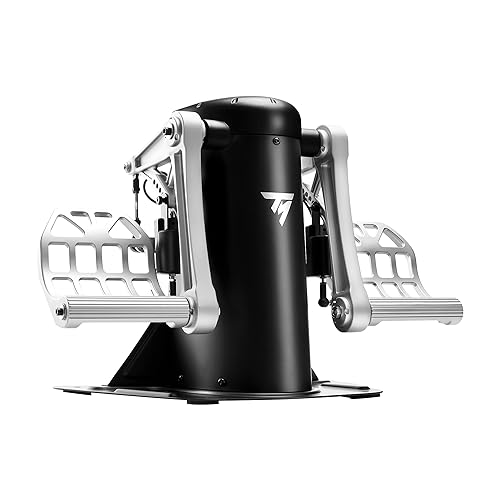
The TPR features Thrustmaster's PENDUL R technology: a unique, suspended mechanism ensuring smooth and fluid movements

Includes the AVA premium modular base, a 1:1-scale replica of the F/A-18C Hornet flight stick, Offset Adapter and metal plate
Simulator Setup and Maintenance
- Thoroughly calibrate joysticks and transmitters to ensure precise control.
- Mimic real RC models for improved skill assimilation.
Gradual Skill Development
- Start with basic models before venturing into complex scenarios.
- Master altitude control through subtle adjustments.
Advanced Techniques
- Refine emergency procedures and practice diverse maneuvers regularly.
- Incorporate battery management strategies to simulate real-life constraints.
Consistent Practice
- Engage in short, focused sessions to enhance retention.
- Systematically track progress to identify areas needing improvement.
Final Thoughts on Choosing the Right Simulator
Choosing the right RC flight simulator can substantially influence a pilot’s training journey, as the right features can enhance both skill development and enjoyment.
Key Considerations:
- Simulator Diversity: Seek options with various aircraft and environments, allowing for engaging experiences tailored to personal interests.
- Realism and Flight Physics: Make certain the simulator provides accurate flight physics and responsive aircraft behavior to closely mimic real-life conditions.
- Community Support: Active forums and developer interactions are crucial for ongoing assistance and content expansion.
Opting for a simulator with strong user engagement features, such as multiplayer modes and diverse challenges, fosters camaraderie and enhances training dynamics. Ultimately, the simulator chosen should reflect individual preferences, hardware compatibility, and a commitment to continuous learning in the exciting world of RC flying.
Frequently Asked Questions
Can Realflight Simulator Be Used Without a Physical RC Transmitter?
RealFlight can be used without a physical RC transmitter if compatible software requirements are met, such as utilizing virtual joystick drivers or USB game controllers, enhancing accessibility and allowing more enthusiasts to engage with the simulator experience.
Are There Age Restrictions for Using Realflight Simulator?
Age suitability for RealFlight Simulator spans widely, as no formal restrictions exist. However, parental guidance remains vital, ensuring young operators grasp controls, fostering a safe and enriching environment for their journey into the world of flying.
How Often Are Major Updates Released for Realflight?
Major updates for RealFlight are typically released every one to two years, focusing on update frequency and software improvements. Additionally, users receive minor updates throughout the year, ensuring a consistently enhanced and stable flight experience.
Is an Internet Connection Required for Realflight Software?
An internet connection is initially required for RealFlight software activation and download. Post-installation, users can enjoy offline practice, but software compatibility with multiplayer features depends on adequate internet speed for optimum performance and interaction.
Can I Use Realflight on a Tablet or Mobile Device?
RealFlight is accessible on mobile devices through RealFlight Mobile, offering limited tablet compatibility. While mobile gaming enhances accessibility, desktop versions provide superior performance and functionality, appealing to dedicated flight simulation enthusiasts seeking immersive experiences.


